Project Concept
Con-Quest: Comic-Con Scavenger Hunt
Con-Quest is a Progressive Web App designed to enhance the Comic-Con Holland experience through an interactive scavenger hunt. Users explore different zones of the convention (Experience, Gaming, Activity, Outdoor, Comic, Dealer, Entertainment) completing tasks to earn badges and prizes.
Create an engaging mobile interface that guides users through a physical space while maintaining the fun, playful atmosphere of a comic convention. The app needed to work offline, integrate QR code scanning, and provide clear task instructions.
7 Zones
Experience, Gaming, Activity, Outdoor, Comic, Dealer, Entertainment
PWA Technology
Works offline, installable, QR code scanning
Badge System
Gamification with rewards and progress tracking
Design Iterations
Evolution Timeline
Wireframes
Basic gray/pink wireframes focusing on layout and user flow
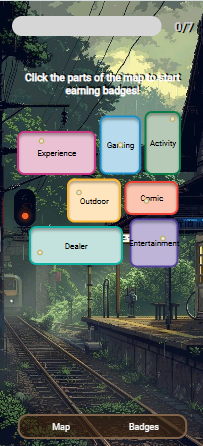
Color Exploration
Rainbow-colored zones for visual distinction
Earthy Palette
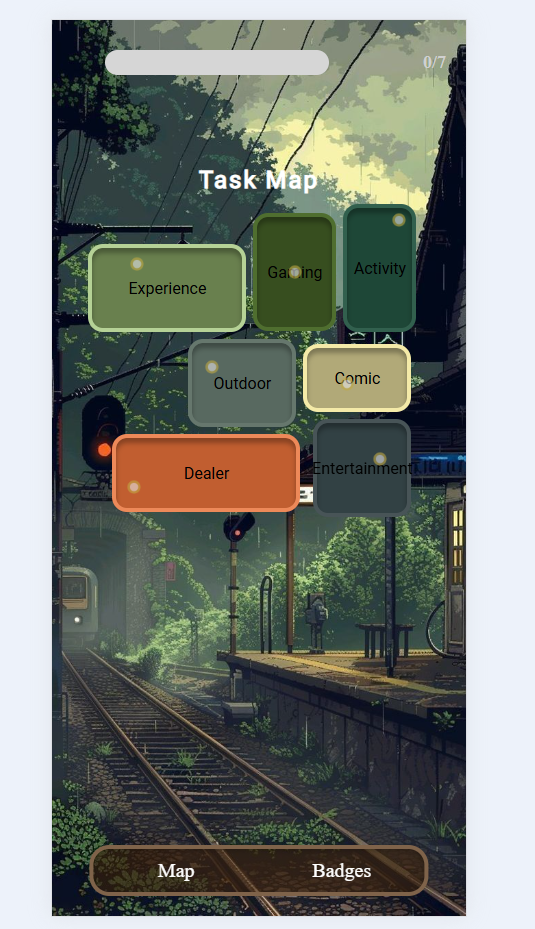
Natural colors with pixel art background
Final Polish
Refined UI with atmospheric train station art
Iteration 1: Wireframes
Started with low-fidelity wireframes in gray and pink to establish the core user flow: QR code scanning → Welcome screen → Map navigation → Task completion → Progress tracking.
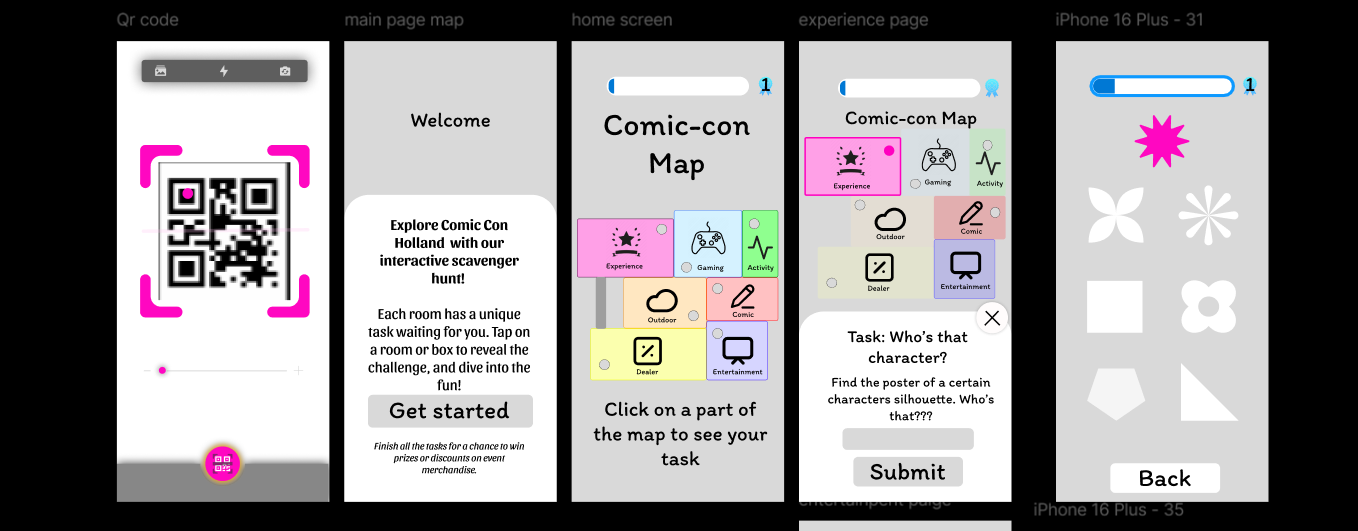
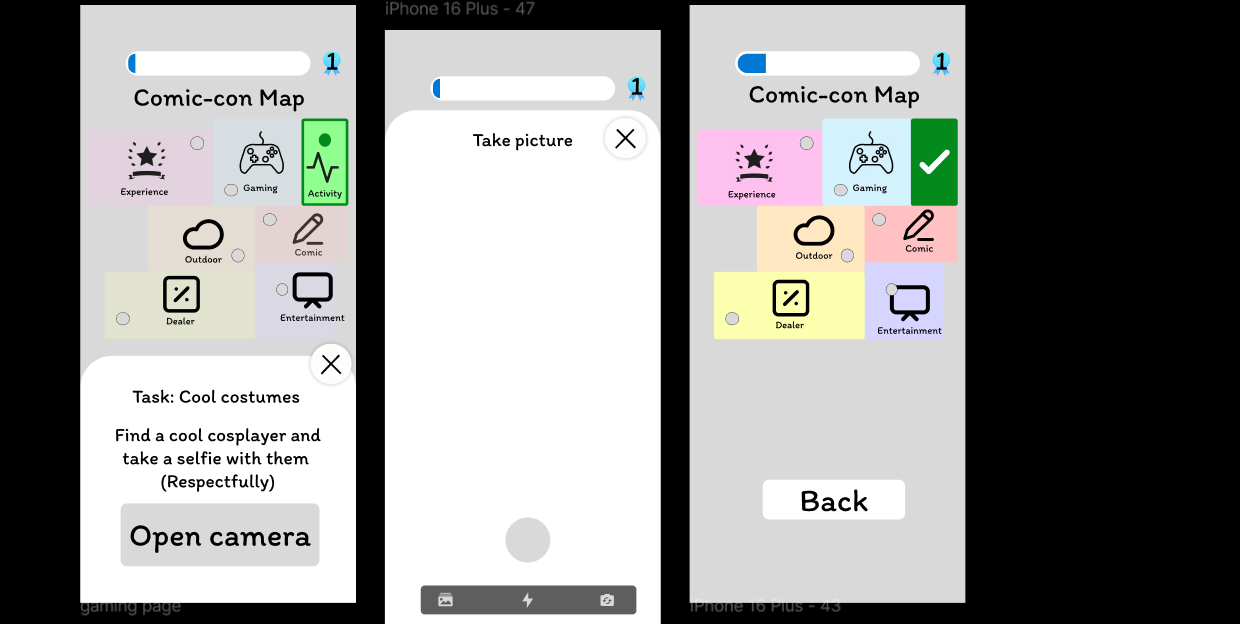
Wireframe Task Flows
Detailed wireframes for different task types: "Cool costumes" requiring camera access, task completion states with checkmarks, and navigation between map and tasks.
Iteration 2: Color Exploration
Introduced color to differentiate the 7 zones. Each zone received a unique color making navigation intuitive. Added pixel art background to create an immersive gaming atmosphere.
Iteration 3: Final High-Fidelity Design
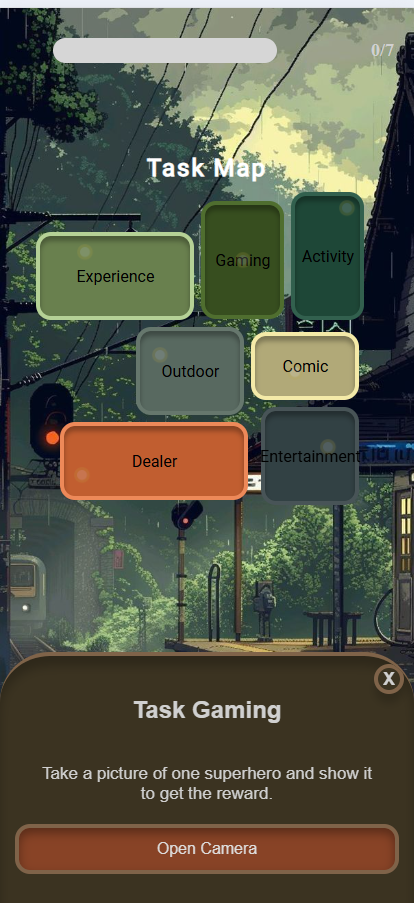
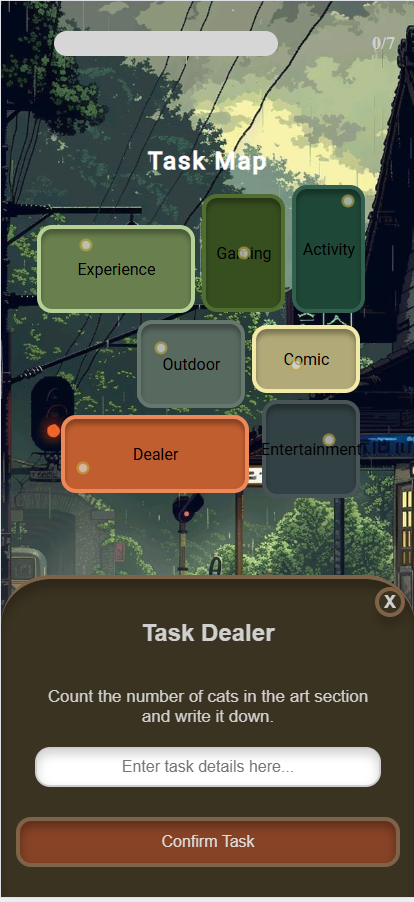
The final design features an earthy, natural color palette with a beautiful pixel art train station background. Task popups use brown tones that complement the atmospheric aesthetic while maintaining readability.
Complete User Flow
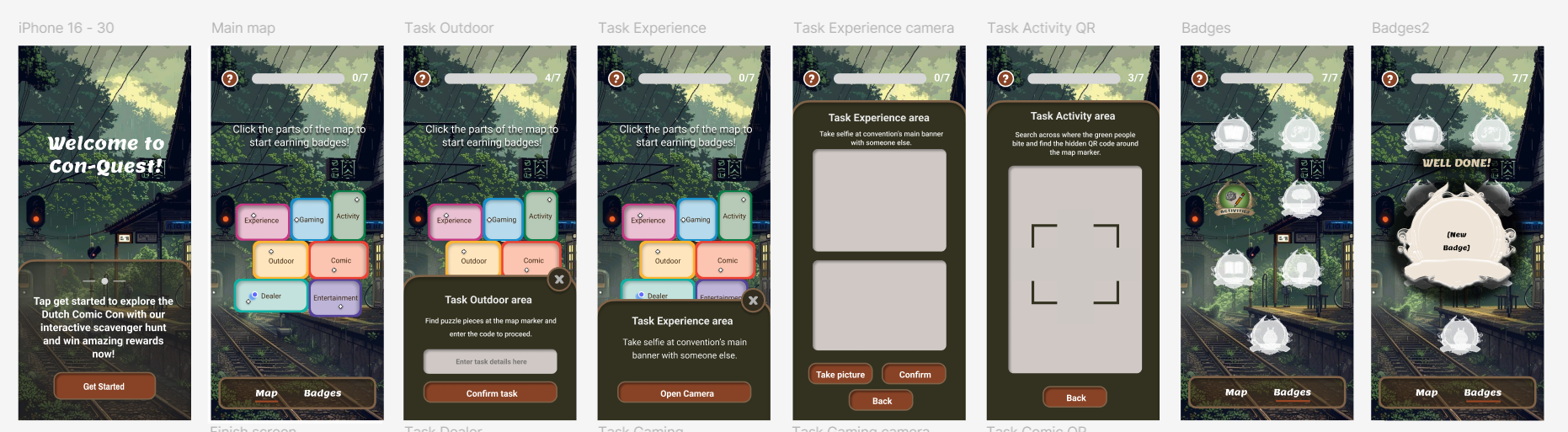
Full Prototype Overview
The complete Figma prototype showing all screens and interactions from onboarding to task completion.
Key Screens
- QR Scanner: Entry point for joining the hunt
- Welcome: Onboarding with game explanation
- Task Map: Interactive zone-based navigation
- Task Popup: Instructions and action buttons
- Camera: Photo capture for tasks
- Badges: Progress and achievements
Task Types
- Photo Tasks: "Take a picture of a superhero"
- Quiz Tasks: "Who's that character?"
- Count Tasks: "Count the cats in the art section"
- Selfie Tasks: "Find a cosplayer (respectfully)"
Design Decisions
Why Pixel Art?
The pixel art aesthetic was chosen to resonate with the gaming and comic culture of the target audience. The train station background creates a sense of adventure and journey, while the retro style feels nostalgic and playful - perfect for a Comic-Con experience.
Color Psychology
- Green (Activity): Energy and action
- Blue (Gaming): Technology and trust
- Orange (Dealer): Excitement and deals
- Yellow (Comic): Creativity and fun
- Pink (Experience): Special moments
UX Principles Applied
- Clear visual hierarchy for quick scanning
- One primary action per screen
- Immediate feedback on task completion
- Progress visibility with badges
- Offline-first for reliable convention use
Tools & Design Process
Design Stack
Explore More Projects
Check out my other design and development work!